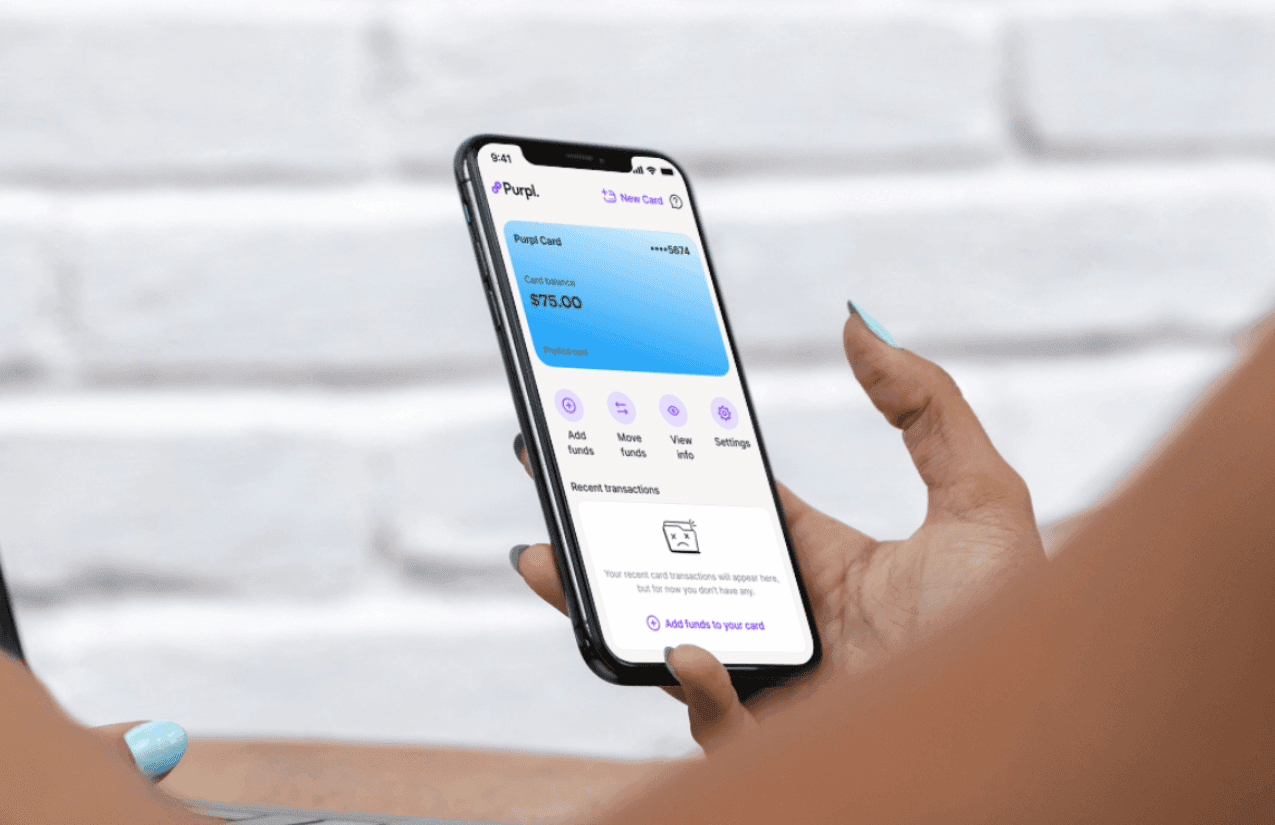
Everything you need to know about Purpl's free virtual cards
Discover how Purpl's free virtual cards work, how to create one in seconds, and how to use it for online payments. Create as many cards as you need, at no cost.
Paying online from Lebanon used to mean borrowing a friend's card or giving up on the purchase. A virtual card changes that: it works like a regular card at checkout, but it lives in your phone, and it only holds the money you put on it.
Purpl virtual cards are part of the Purpl wallet, a digital USD wallet licensed by the Central Bank of Lebanon. Here's how they work, how to create one, and how to get the most out of having more than one.
What is a Purpl virtual card?
It's a payment card that lives in your Purpl app, with its own card number, expiry date and security code. You create it in seconds, load it with the amount you want to spend, and it's ready to use.
- Free, every time. Creating a virtual card costs nothing, whether it's your first or your tenth.
- Unlimited. Create a separate card for each subscription, shop or project.
- Yours to personalise. Give each card a name and a color from the preset colors to tell them apart at a glance.
- Only spends what you add. Move funds from your wallet to the card. It can never spend more than what's on it.
- Tap to pay on Android. Add your card to Google Wallet and pay in stores with your phone.
- Freeze anytime. Pause a card with one tap in the app, and unfreeze it when you need it again.
How to create a virtual card, step by step
Get the Purpl app from the App Store or Google Play and create your account with your phone number.
Scan your ID and take a quick selfie. You only do this once, and it keeps your wallet and cards secure.
Receive money from abroad, get a transfer from a friend in Lebanon, or top up your balance in US dollars.
Open the Card tab and create a new card. Give it a name and pick a color from the preset colors, so you can tell your cards apart. It's free and ready in seconds.
Move the amount you want to spend from your wallet to the card. The card only spends what you add to it, nothing more.
Copy the card details from the app and use them at checkout online. On Android, add the card to Google Wallet and tap to pay in stores.
Where you can use it
Use your Purpl virtual card online, and on Android, in stores too. The most popular uses:
Pay on international and local shopping sites, buy apps and in game items, without sharing your main card.
Music, video, cloud storage and software, each on its own card if you like.
On Android, add your card to Google Wallet and tap your phone to pay at the checkout.
Book flights, hotels and rides online and keep travel spending on its own card.
Unlimited free cards. Total control.
Create as many digital cards as you need, for free. Give each one a name and a color, add the amount you want to spend, and track spending by category, all from one app.

Move money to anyone in Lebanon in seconds, with 0 fees.
Pay online, tap to pay in stores with Google Wallet on Android, and pay by QR at merchants across Lebanon.
Top up bills, subscriptions, gaming and streaming right from the app.
Keep your balance safe in dollars and spend it whenever you need.
Cards that cost almost nothing.
Why create more than one card?
Because your cards are free and unlimited, you can organise your spending the way you want, and keep your money safer.
- Keep cards separate for security. If one card's details are ever exposed, only that card and the amount on it are at risk. Freeze it, and your other cards keep working.
- One card per subscription. Cancel or freeze a single service without touching the others.
- A card for online shopping. Add only what you plan to spend this month, so you never overspend.
- A card for travel. Keep bookings and trip spending in one place.
One app. As many cards as you need.
Download Purpl and create your first free virtual card in seconds.
Frequently asked questions
Are Purpl virtual cards really free?
Yes. Creating a Purpl virtual card costs nothing, and there's no limit to how many you can create. If you also want a physical card, the Purpl Platinum card costs USD 12 per year.
How many virtual cards can I create?
As many as you need. Create a separate card for each subscription, for online shopping or for travel bookings, and give each one its own name and color.
Where can I use a Purpl virtual card?
Online: shopping sites, streaming and music subscriptions, apps, games, and travel bookings. On Android, you can also add your card to Google Wallet and tap to pay in stores.
How do I add money to my virtual card?
Move funds from your Purpl wallet to the card, in the amount you want to spend. You can fund your wallet by receiving money from abroad, getting a transfer from another Purpl user, or topping up.
Is it safe to pay online with a virtual card?
Yes. Each card has its own details and only holds the amount you add to it, and you can freeze it instantly from the app. Keeping separate cards for different uses adds another layer of protection. Purpl is licensed by the Central Bank of Lebanon.
Do I need a bank account to get a Purpl virtual card?
No. All you need is the Purpl app and a valid ID. Your wallet and your cards work without a bank account.